How to Install Assetto Corsa Car Mods?
On AssettoCars.com, you can download car mods for free. This guide shows you how to add them to the game in a few simple steps.
Important: If the mod description says "CSP required", you need to install Custom Shaders Patch before installing the mod. Without it, the game may crash while loading the car. Follow our guide: How to Install Custom Shaders Patch (CSP) in Assetto Corsa.
Installation Steps for Car Mods
The installation folder for the Steam version is:
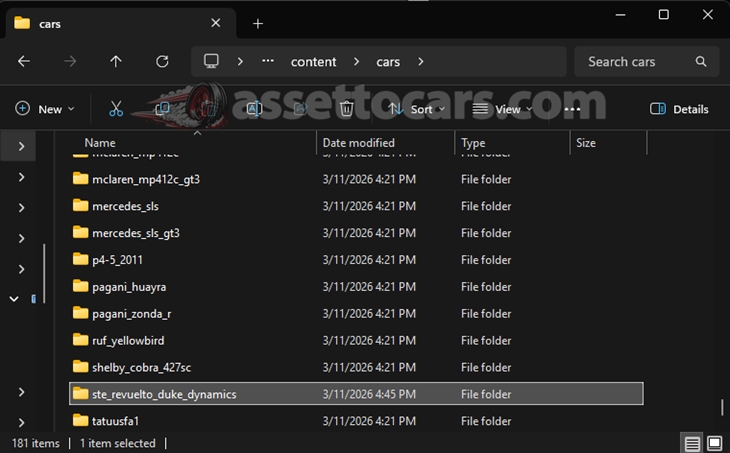
C:\Program Files (x86)\Steam\steamapps\common\assettocorsa\content\carsStep 1: Extract the ZIP file you downloaded from our site using WinRAR or a similar program.
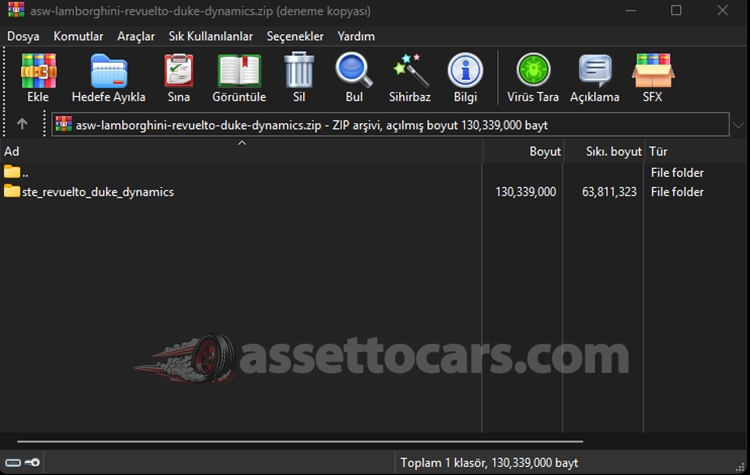
Step 2: Copy the car mod folder from the ZIP file into the "content/cars" folder in your game installation directory.
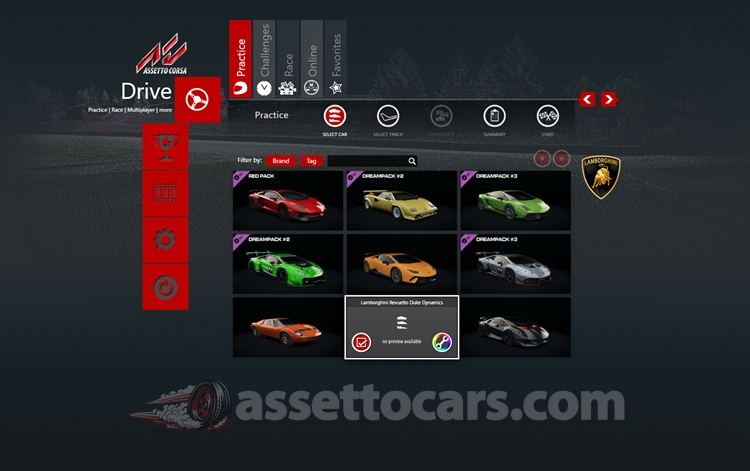
Step 3: Launch the game and set up a race. You will find the new car mod in the car selection menu.
Track Mod Installation
Track mods are installed the same way, into this folder:
C:\Program Files (x86)\Steam\steamapps\common\assettocorsa\content\tracksThe Game Crashes When Loading a Mod?
If stock cars work but a mod car makes the game close while loading, the mod most likely needs Custom Shaders Patch. Install CSP by following our CSP installation guide, then try again.
Also check the mod folder. It should not be nested inside another folder with the same name, such as cars\car_name\car_name\. Open the folder and make sure you can see the mod's files directly.