Ford Focus ST 2.5 Turbo 2006
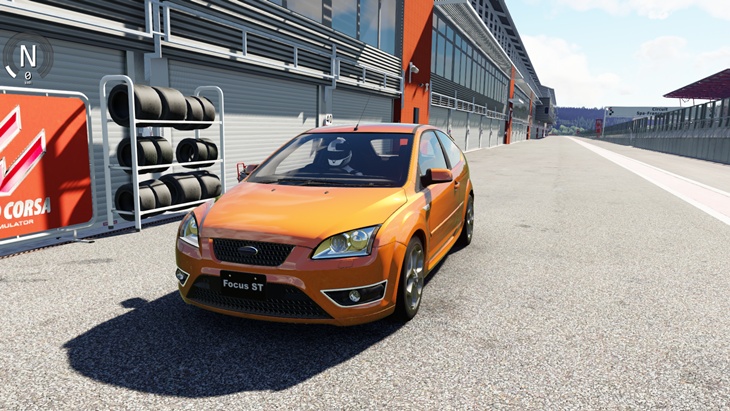
- Power220 HP
- Torque320 Nm
- Top speed230+ kph
- Weight1,393 kg
- 0-1006.1s
Description
The Ford Focus ST 2.5 Turbo 2006 (Ford) car mod adds this vehicle to Assetto Corsa as a free download by 101Creative Physics by VR DRIVING. In-game specifications include weight 1,393, power 221 HP, torque cludes 3 paint variants to choose from in-game. Tested on Assetto Corsa 1.16.4 f, top speed t variants to choose from in-game. Tested on Assetto Corsa 1.16.4 for Windows. B, and 0-100 km/h in choose from in-game. Tested on Assetto Corsa 1.16.4 for Windows. Browse specific. Includes 3 paint variants to choose from in-game. Tested on Assetto Corsa 1.16.4 for Windows. Browse specifications, compatibility notes, installation steps, and screenshots using the tabs on this page.
Gameplay Video

Mod creator 101Creative Physics by VR DRIVING
Specifications
- Weight
- 1,393 kg
- Power
- 220 bhp
- Torque
- 320 Nm
- Maximum Speed
- 230+ kph
- Acceleration 0-100
- 6.1s
- Weight/Power Ratio
- 6.33 kg/hp
- AC Version
- 1.16.4
- File Size
- 38 MB
Color Variants
Free · Assetto Corsa 1.16.4 · 38 MB · Tested & working
Related Car Mods
More Ford mods →
Nissan GT-R Premium Edition
- 600 HP
- 747 Nm
- 313 km/h
WTCC Alfa Romeo 75 Turbo 1987
- 350 Nm
- 232 km/h
Pagani Huayra Codalunga
- 830 HP
- 1100 Nm
- 380 km/h
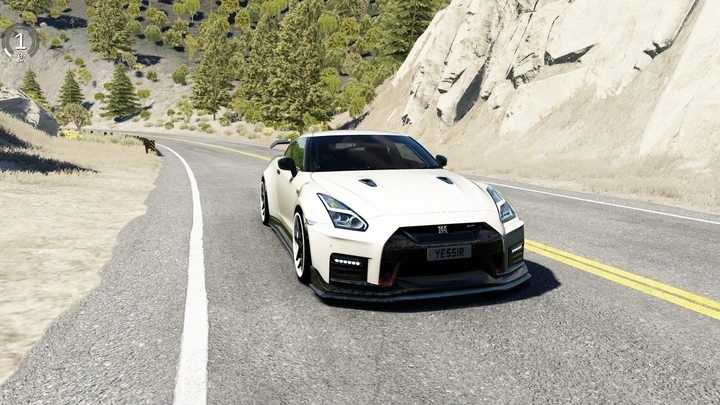
Nissan GT-R Nismo
- 820 HP
- 993 Nm
- 313 km/h
Lamborghini Murcielago GT1
- 745 HP
- 660 Nm
- 329+ km/h
Subaru WRX 2022
- 267 HP
- 350 Nm
- 250 km/h
Comments 0
No comments yet
Be the first to share your experience with this mod.