Ford Tested on AC 1.16.4 VirusTotal scanned

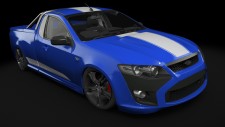
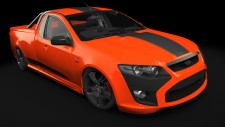
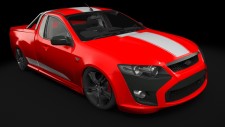
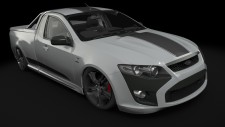
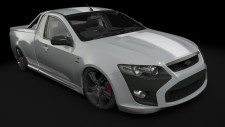
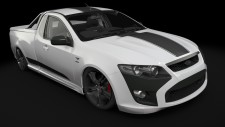
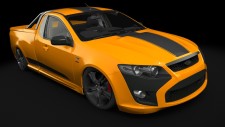
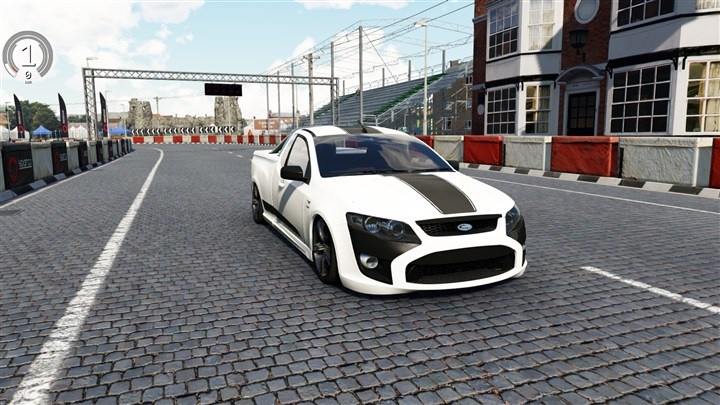
Ford Falcon FG UTE FPV Pursuit

Added Updated 0 comments
  • Power585 HP
  • Torque759 Nm
  • Top speed250+ km/h
  • Weight1,815 kg
  • 0-1004.3s

Description

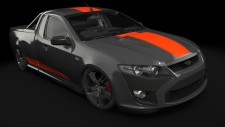
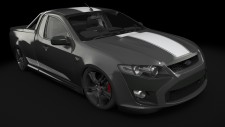
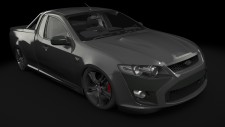
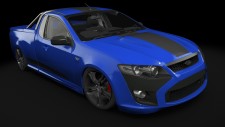
The Ford Falcon FG UTE FPV Pursuit (Ford) car mod adds this vehicle to Assetto Corsa as a free download by MacedoSTI. In-game specifications include weight 1,815, power 593 bhp / 585HP, torque 759 Nm, top speed 250+ km/h, and 0-100 km/h in 4.3 s. Includes 11 paint variants to choose from in-game. Tested on Assetto Corsa 1.16.4 for Windows. Browse specifications, compatibility notes, installation steps, and screenshots using the tabs on this page.

Mod creator MacedoSTI

Specifications

Weight
1,815 kg
Power
593 bhp / 585HP
Torque
759 Nm
Maximum Speed
250+ km/h
Acceleration 0-100
4.3s
Weight/Power Ratio
2.71 kg/hp
AC Version
1.16.4
File Size
64.9 MB

Color Variants

  • Black_1
    Black_1
  • Black_2
    Black_2
  • Black_3
    Black_3
  • Blue_1
    Blue_1
  • Blue_2
    Blue_2
  • Orange_1
    Orange_1
  • red1
    red1
  • Silver_1
    Silver_1
  • Silver_2
    Silver_2
  • white_1
    white_1
  • yelow_1
    yelow_1
VirusTotal Scanned This mod file was scanned for malware. Open the full report for engine results and details.
View Results
Download Mod

Free · Assetto Corsa 1.16.4 · 64.9 MB · Tested & working

Installation Steps

Follow our step-by-step guide to install this mod correctly.

View Installation Guide
  1. 1
    Download the archive

    Click the Download Mod button and choose a mirror on the download page: assetto-corsa-ford-falcon-fg-ute-fpv-pursuit.zip

  2. 2
    Extract the ZIP file

    Open the archive with WinRAR, 7-Zip, or a similar program.

  3. 3
    Copy the car folder

    Move this folder into your Assetto Corsa content/cars directory: lm_ford_falcon_fg_ii_ute

  4. 4
    Launch the game

    Start Assetto Corsa or refresh Content Manager, then select the car in race setup.

Full path example: Steam\steamapps\common\assettocorsa\content\cars\lm_ford_falcon_fg_ii_ute

More Ford mods →

Comments 0

No comments yet

Be the first to share your experience with this mod.

Leave a Reply